Every snag in your new home, logged and chased until it's fixed.
Walk the house room by room, note what's wrong, and hand your builder a clean report. Snagly keeps track of what's been reported, what's booked in and what's done.
One-off unlock, no subscription.
How it works
Set up the house
Add your floors, rooms and outside areas. Snagly suggests a starting list so a four-bed takes a couple of minutes.
Walk it room by room
Photograph each snag, pick a category and a priority, add a line of description. It all lands in the right room.
Send it and track it
Export a PDF for your builder, then move each snag from open to reported, in progress and resolved as the fixes happen.
Built for the first two years in a new build
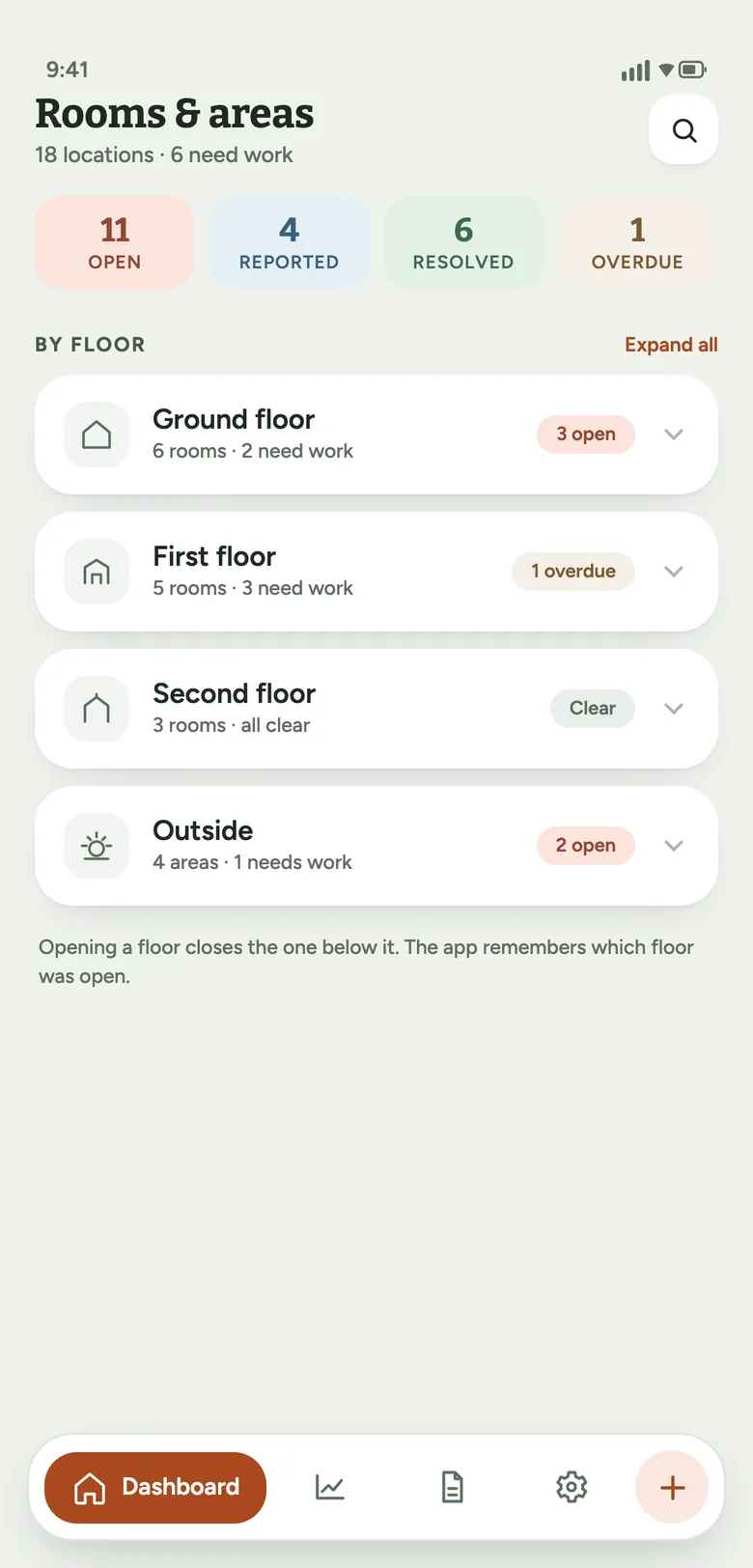
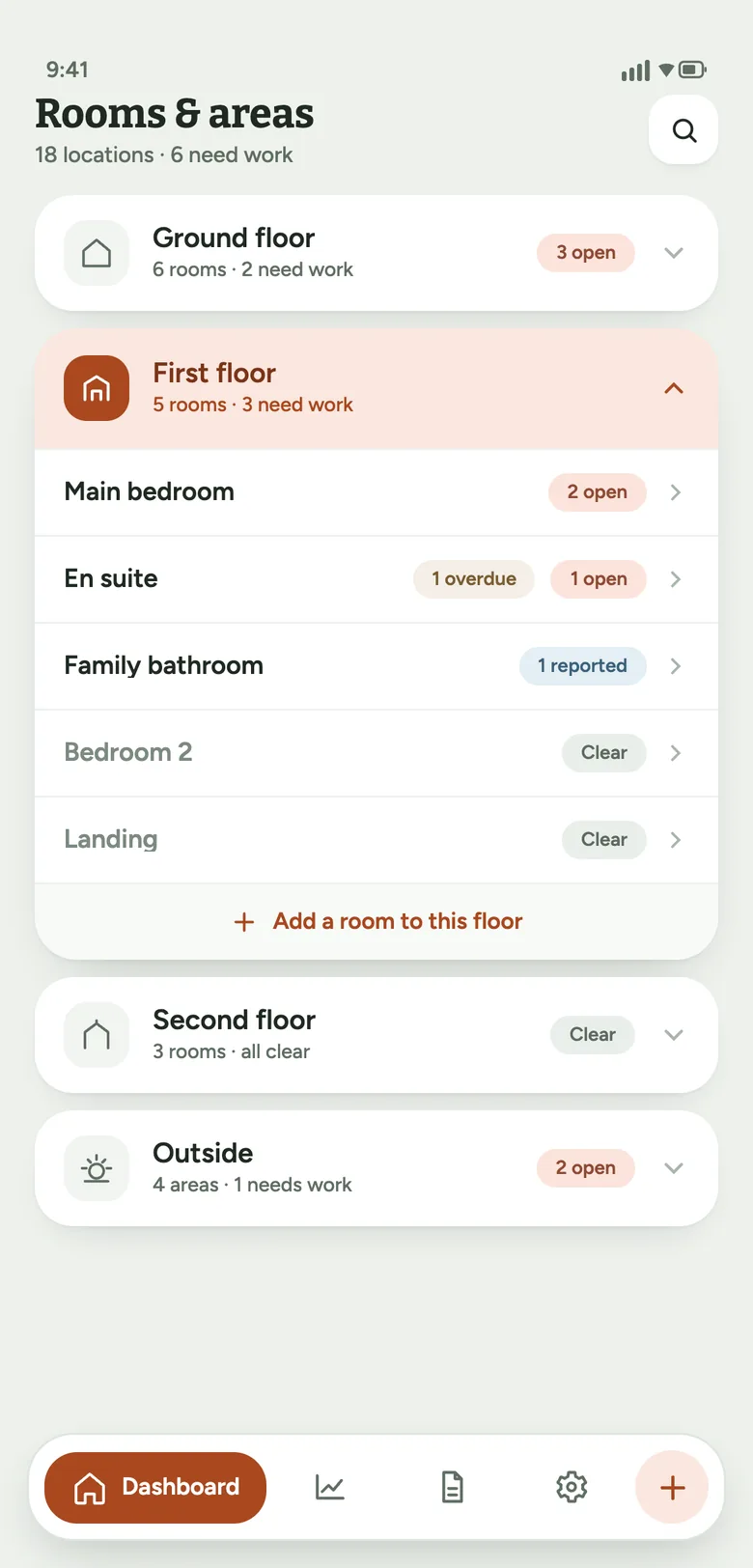
Rooms grouped by floor
Open one floor at a time, with counts on every row so you see where the work is without scrolling past eighteen rooms.
Outside areas too
Gardens, drive, garage and guttering work exactly like rooms.
Statuses that match reality
Open, reported, in progress, resolved. Every change is dated, so you have a timeline if a fix drags on.
Schedule fixes
Give a snag a date and time window when the builder books it in, and see what's coming up.
Fifteen preset categories
Plastering, paintwork, sealant, doors, windows and the rest, ordered by how often they come up.
Light and dark
Follows your phone's setting. Works offline, so a basement with no signal is fine.
A report they can work from
Choose which rooms and statuses to include and Snagly builds a PDF with every snag, its photos, priority and date raised, grouped the way the house is laid out. Email it straight from your phone.
Most builders ask for defects in writing within the first two years. The report is that record.
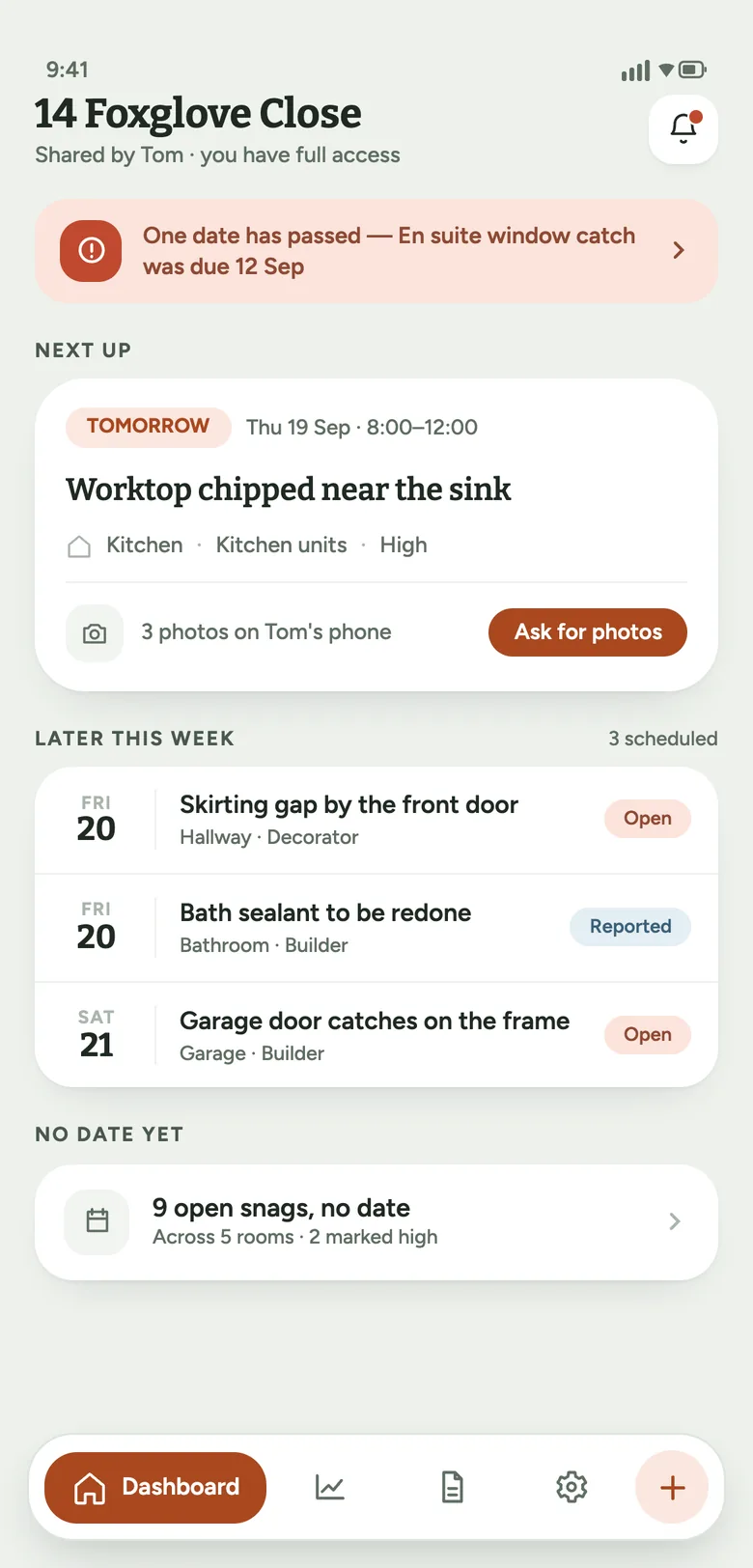
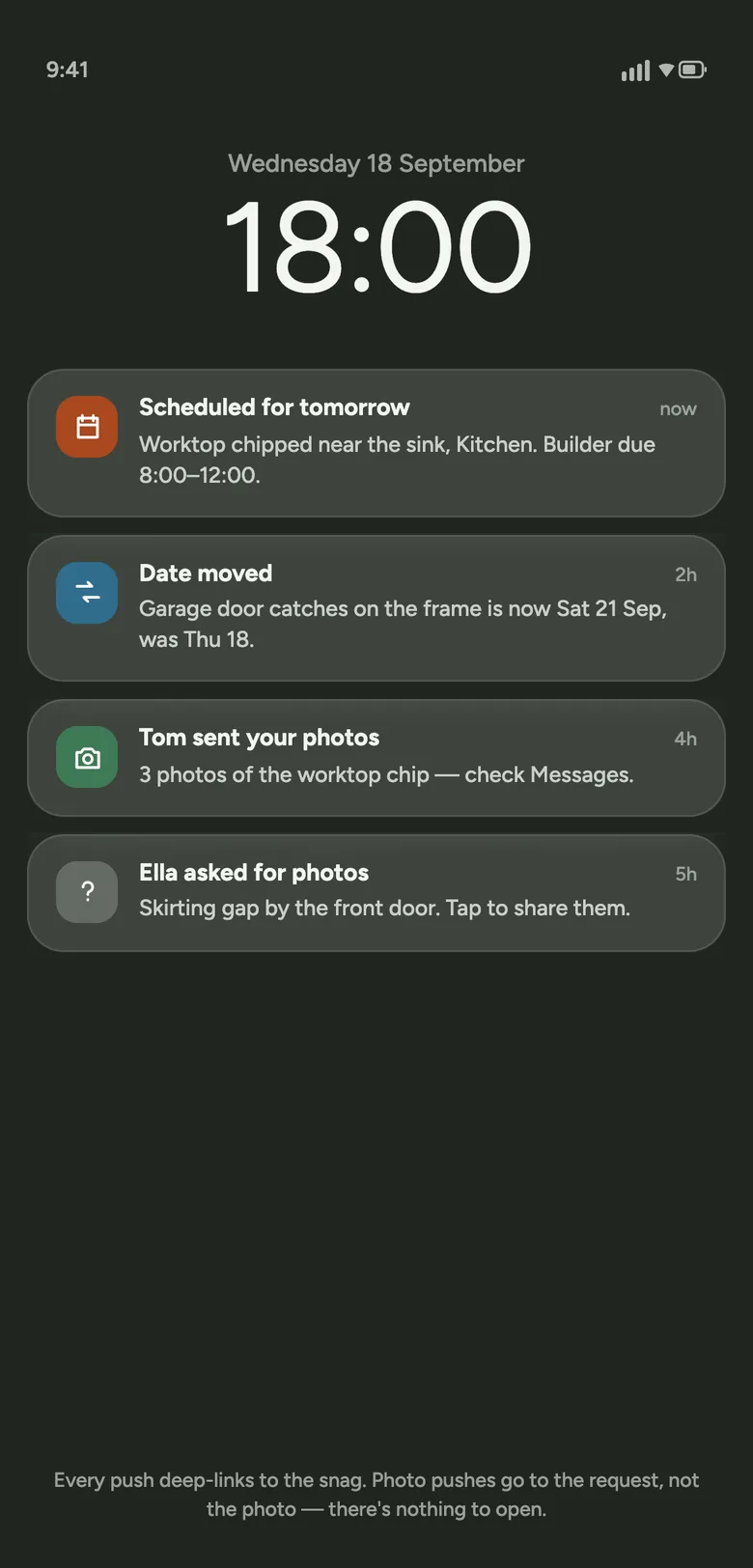
Your photos stay on your phone
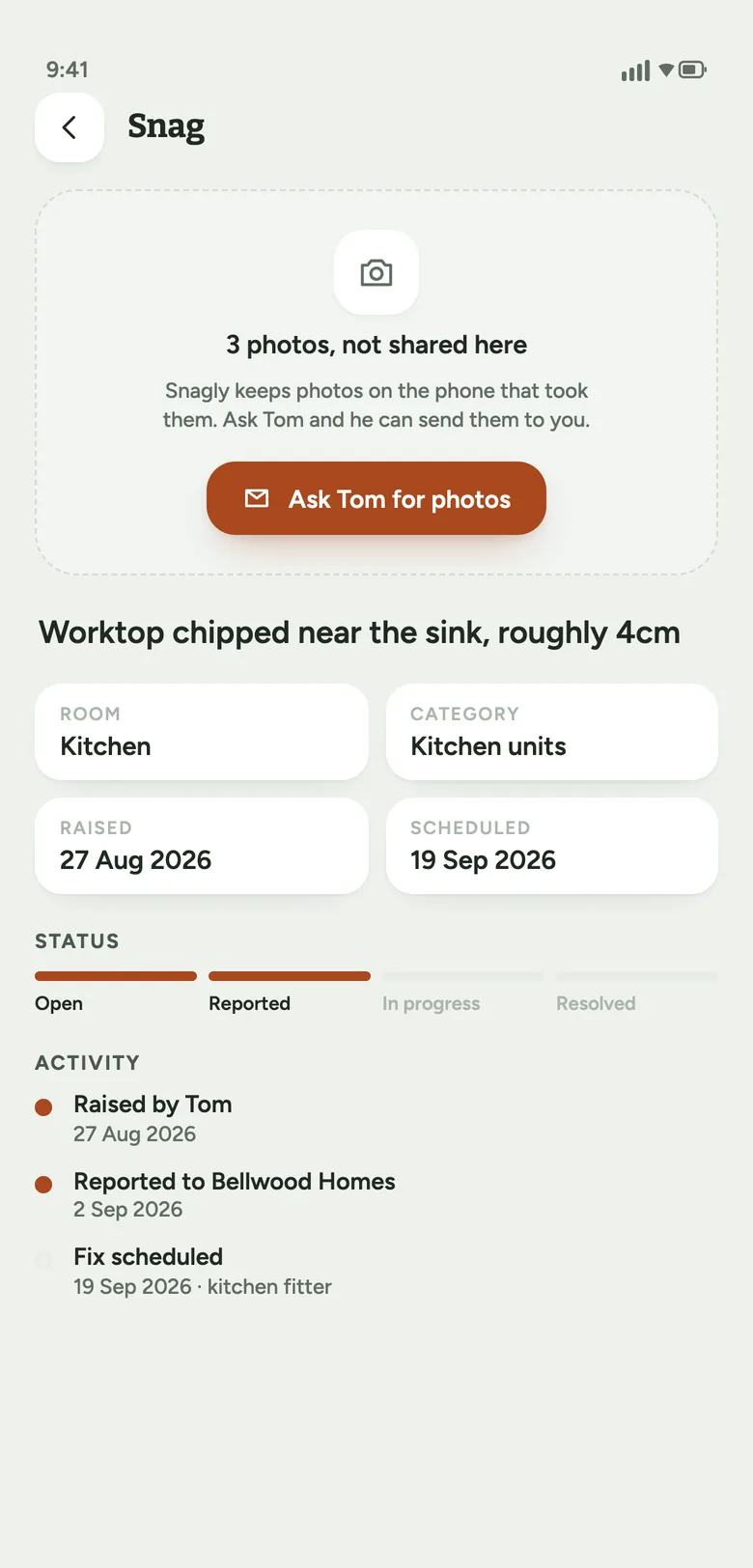
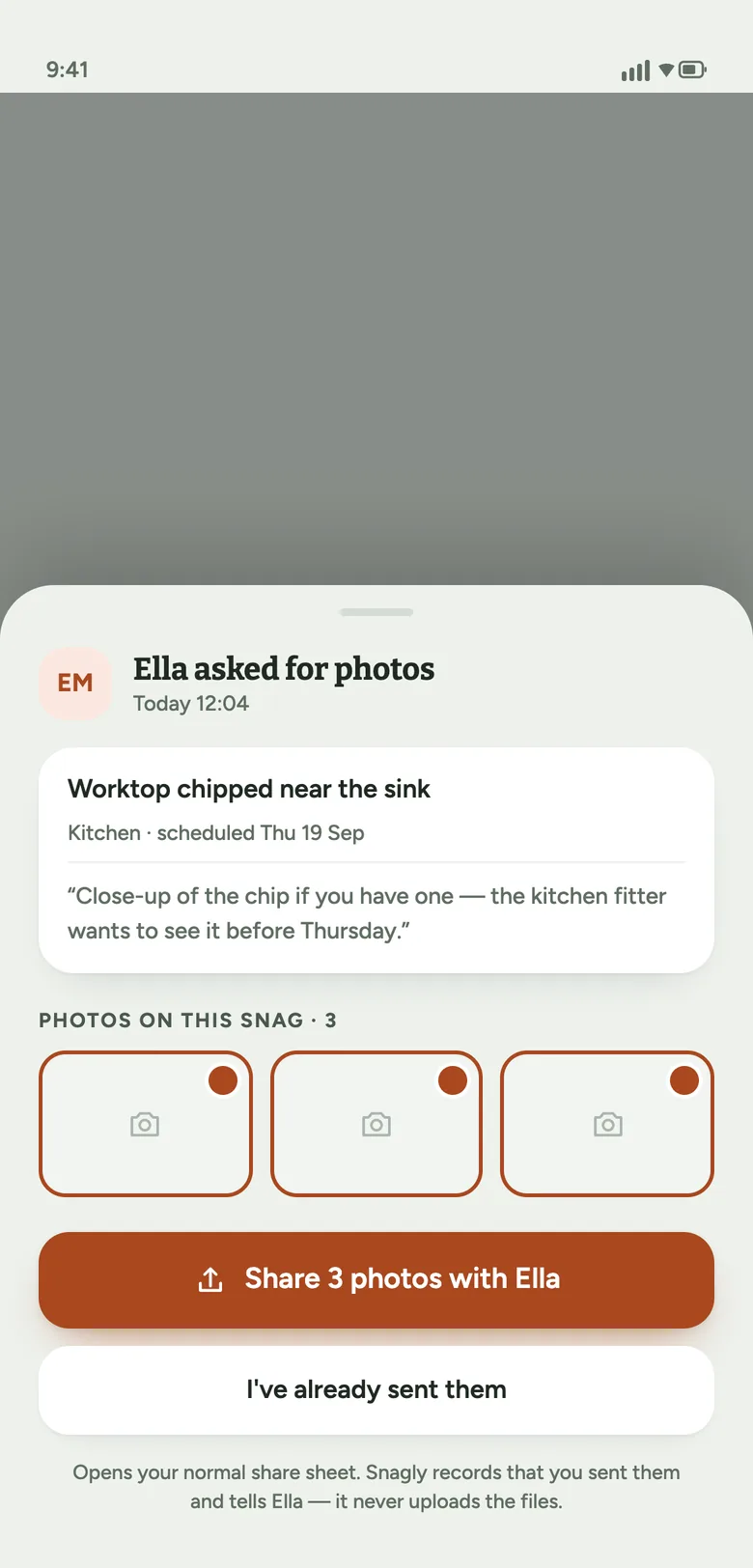
Photos of the inside of your home are never uploaded to Snagly. When someone you've shared with asks for them, you get a notification and send them yourself, by message or email, from your own phone.
The rest of a shared property — the rooms, descriptions and dates — syncs so both phones show the same thing. Read the privacy policy.
Questions
What is snagging?
Snagging is checking a newly built home for defects, from paint drips and gaps in sealant to doors that don't close. New-build warranties usually give you a period to report them to the builder, who fixes them at no cost.
How much does it cost?
Snagly is free to download and use. A one-off in-app purchase unlocks the full app. There's no subscription.
Is there an iPhone version?
Not yet. Snagly is on Android through Google Play.
Why can't the person I share with see my photos?
Photos are never uploaded, so they only exist on the phone that took them. The person you share with can ask for them, and you send them from your phone however you like.
Do I need an account?
Snagly signs you in automatically when you open it, so there's nothing to set up first. You can add an email or Google sign-in later, which is worth doing before you share a property or switch phones, so you don't lose access.
Can I use it for more than one property?
Yes. Each property has its own rooms, snags and sharing.